
Blog
Free workout planner options
Published September 24, 2026 · 14 min read
A free workout planner should do more than store a list of exercises. It should help you start the right session, record each set quickly, and make the next load easier to choose. Here are eight named options, with the training style and workflow each one fits.
1. RIRLift
RIRLift is an iPhone gym tracker that tells you what to lift next. It suits people who already lift weights or want a clear first program without a social feed.
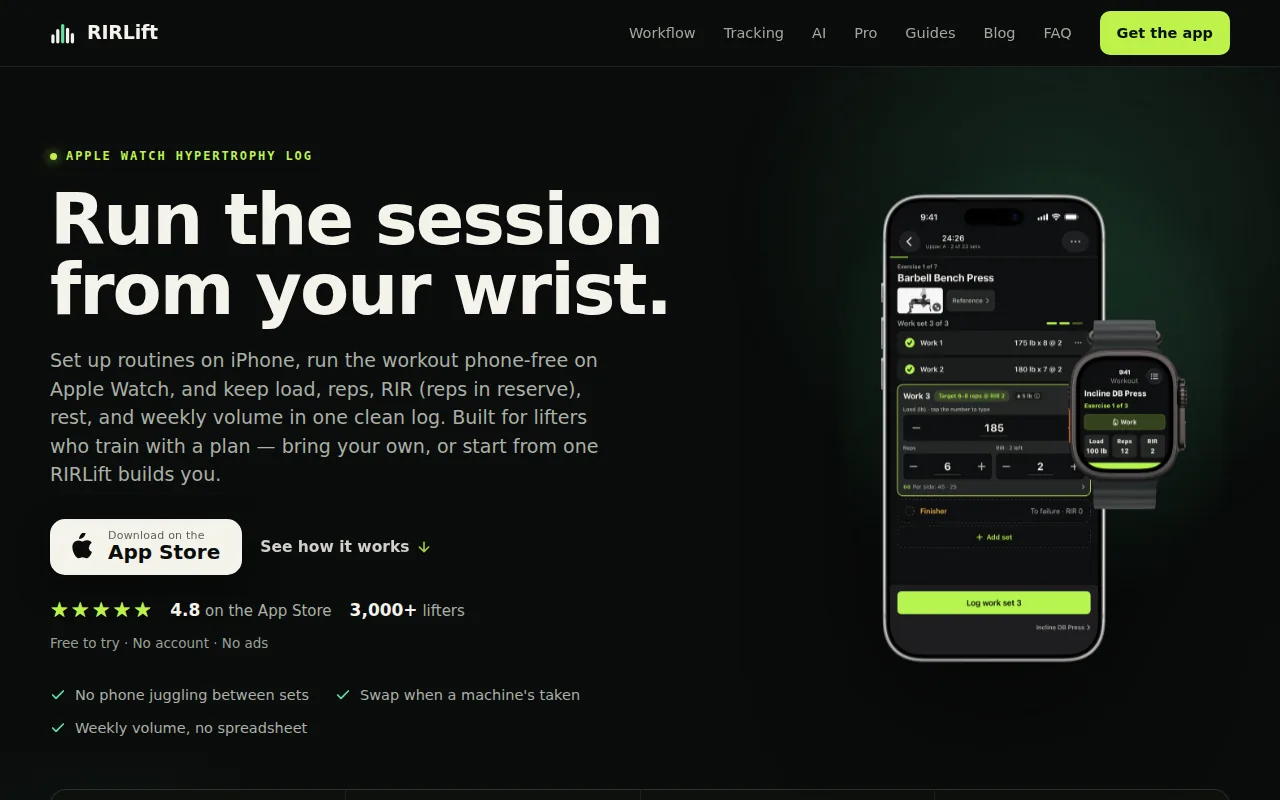
Build a routine or choose a program on iPhone. During the workout, log load, reps, and RIR, meaning reps in reserve. The built-in Coach uses what you actually completed to work out the next weight. That is more useful than a fixed target when your sleep, recovery, or gym conditions change.
We keep the set log short. Previous values appear before the next set, so you can confirm them with one tap or adjust them as needed. Rest timers start with the workout, and warm-up sets, drop sets, and exercise swaps fit inside the same session.
The app also totals weekly hard sets by muscle. That gives you a way to spot a neglected muscle before several weeks pass. If a machine is taken, you can swap the exercise while keeping the set count, rep range, rest, and RIR target for that session.
RIRLift also runs on Apple Watch. Active workouts are local-first, so you can log from the wrist when your phone is in a locker or across the gym. There is no sign-up for core use, and the free workflow covers the parts needed to run a session.
The limitation is scope. RIRLift is for gym lifting, not meal tracking, dance classes, or broad cardio coaching. It is also built for Apple devices, so it is a poor fit if Android is your main phone. For more context on the features that matter when choosing a strength training app, compare how each option handles workout logging, progression, and effort tracking.
For readers who want to sketch a routine before training, the workout plan generator app guide explains how planning and logging fit together.
2. BoostCamp
BoostCamp is a free workout planner built around program-based training. It fits people who want to pick a structured plan instead of writing every session from scratch. Beginners comparing workout apps for beginners may find this approach easier to start with.
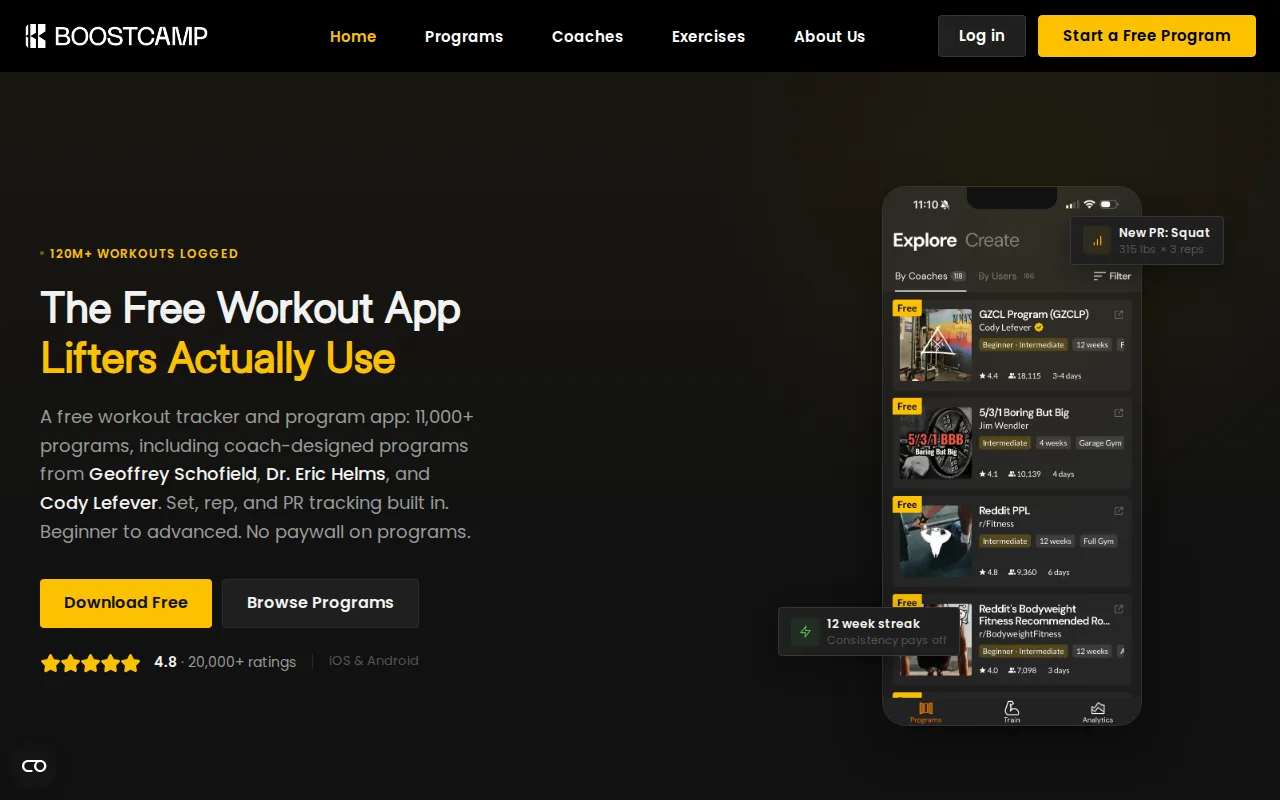
Programs can be filtered by goal, training days, and experience. Once you select one, the session shows the exercises, sets, reps, and rest time in order.
Its tracker handles set logging, RPE, RIR, personal records, and rest timers. Auto-progression adjusts the next load from your performance. That is useful for a beginner who wants fewer decisions, or for an experienced lifter who wants a ready-made block.
BoostCamp also supports custom routines. You can start with a blank plan if the library does not match your equipment or split. The app includes a plate calculator, exercise demonstrations, supersets, drop sets, and warm-up templates.
The program library is the main reason to choose it. You can compare several routines before committing to one, then keep the log inside the same app. That removes the common problem of finding a plan in one place and tracking it in another.
There are trade-offs. BoostCamp does not currently have an Apple Watch app. If wrist-based logging is central to your workout, that gap matters.
BoostCamp is a program-based option, while RIRLift combines Apple Watch support, RIR/RPE tracking, and automated weight recommendations.
3. Alpha Progression
Alpha Progression is a planning and logging app for lifters who want precise weight and rep targets. It suits people who prefer an app-generated plan with a recommendation for each set.
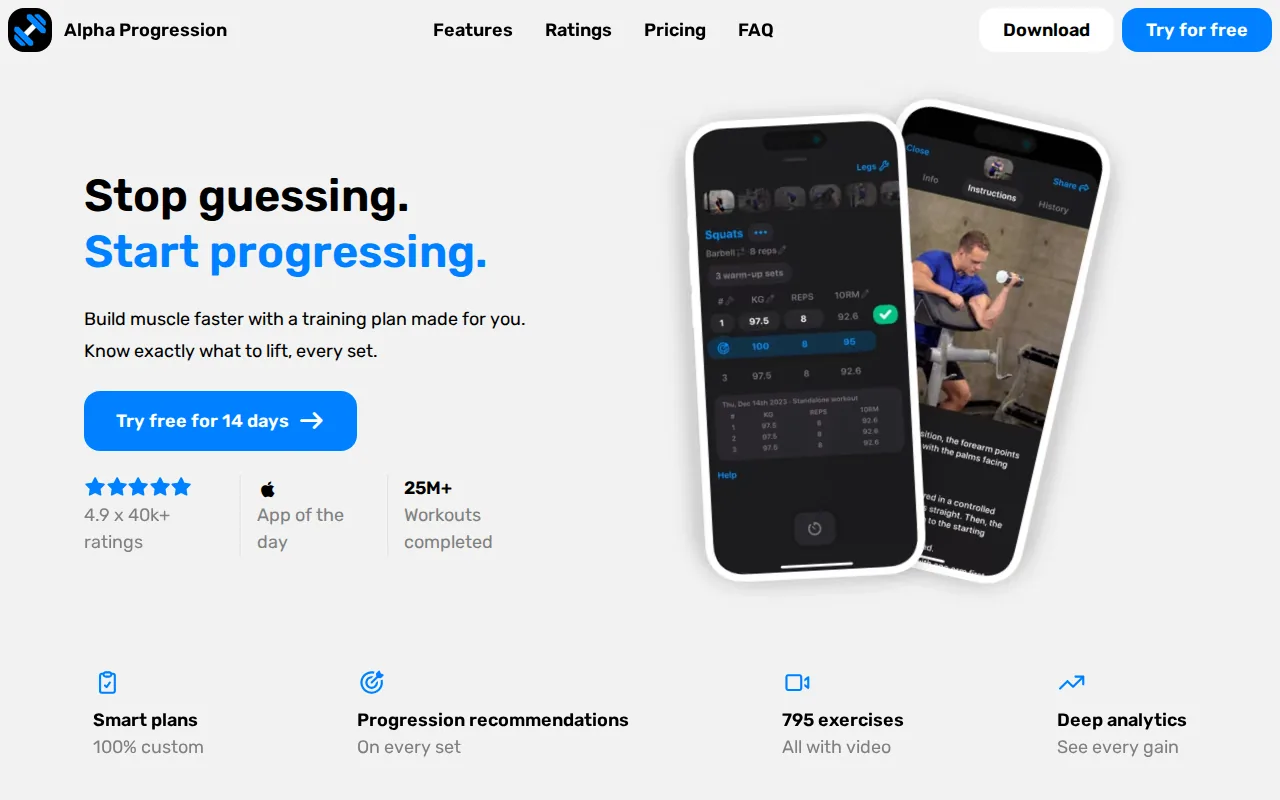
The app can build a plan around your goal, training days, available time, equipment, and muscle priorities. You can also edit the plan or build one yourself. Before each set, the app displays a weight and rep target based on past workouts and the work already done that day.
That set-by-set approach handles a detail that simple spreadsheets often miss. Set 3 may need a different load from set 1 because fatigue has built up. The app adjusts the target instead of treating every set as if it happens in fresh condition.
Alpha Progression records RIR and shows prior sets while you train. It also includes exercise videos, alternative exercises, rest timers, warm-up calculations, plate math, and charts for strength, volume, and sets per muscle. Those tools suit a lifter who wants more detail than a plain notebook.
It is designed for iPhone. That makes it a reasonable fit for Apple users who want detailed planning on the phone, but it does not replace an Apple Watch workflow. It can also feel like more setup than you need if you already have a routine.
If you want the app to prescribe each target, Alpha Progression is worth testing. If you want to bring your own plan and let logged effort guide the next session, RIRLift takes a narrower route.
4. BetterMe
BetterMe is a broad workout app for people who want ready-made routines, home exercise, nutrition tools, and a workout diary in one place. It fits users who want guided sessions more than a focused weight progression log.
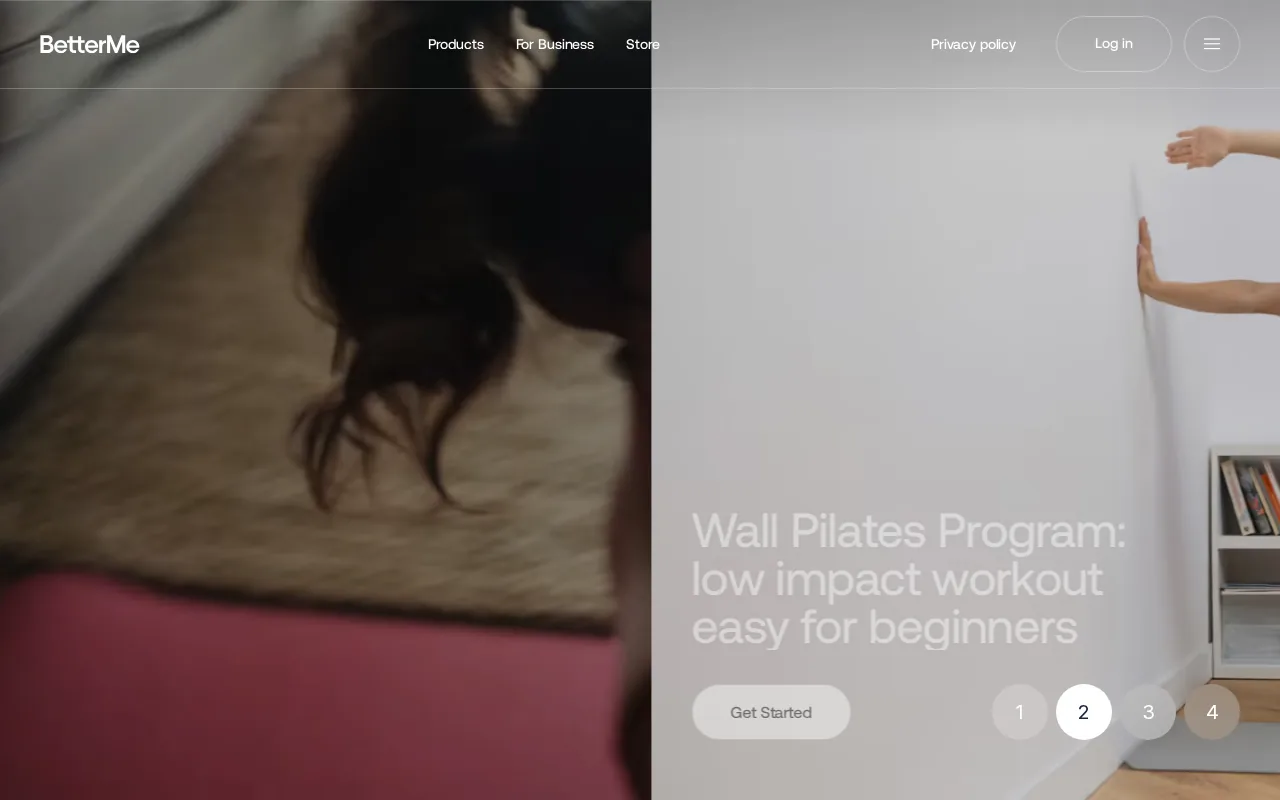
Its wider scope may help if your week includes home workouts and gym sessions. The app also includes food tracking, a community feed, and coach messaging. That gives a new exerciser more areas to explore without starting with a blank screen.
Guidance can reduce one common beginner problem: spending more time deciding what to do than doing it. A ready session can show the movement order and the next exercise before you start.
But broad coverage changes the feel of the planner. A nutrition diary and community feed do not tell you whether your last bench set was 1 RIR or 4 RIR. The app also does not present the same clear RIR-based progression workflow as a lifting tracker built around effort data.
Choose this type of app when guided home movement is the main need. Choose RIRLift when the main task is recording gym sets and getting a next-load suggestion from them.
One useful rule applies to any guided planner: check whether you can see the workout length and equipment needs before the session begins. That small detail matters when your gym time is limited.
5. Hevy and JEFIT
Hevy and JEFIT represent two broad workout logging styles. Both suit people who want a large exercise library, routine planning, and progress views rather than a narrow RIR-first workflow.
Hevy focuses on routine logging and a social community. Its documented features include custom routines, exercise videos, rest timers, supersets, drop sets, one-rep-max calculations, and graphs for volume and total reps. It also has Apple Watch support.
The social side is useful if you enjoy sharing routines or following other lifters. It can also be a distraction if you want your workout log to stay quiet. RIR is not the central measurement in the documented workflow, so it may not suit someone who wants effort recorded on every set.
JEFIT takes a database-heavy approach. The large library helps when you need an exercise variation or train in different gyms. It also gives bodybuilders more room to track a high number of movements. The cost is a busier experience, especially if you only need four repeatable sessions and a fast set log.
Platform support should decide between these two. Hevy has an Apple Watch workflow, while JEFIT’s watch support differs. Check the current listing for your device before moving an established training history.
These apps make sense when breadth, exercise choice, or community matters most. They are less direct for a lifter who wants one quiet logbook with RIR and next-load guidance at the center.
6. StrongLifts 5x5
StrongLifts 5x5 is a simple program planner for beginners who want automatic weight progression. It fits someone who wants the plan to decide the workout instead of choosing exercises and loads each day.
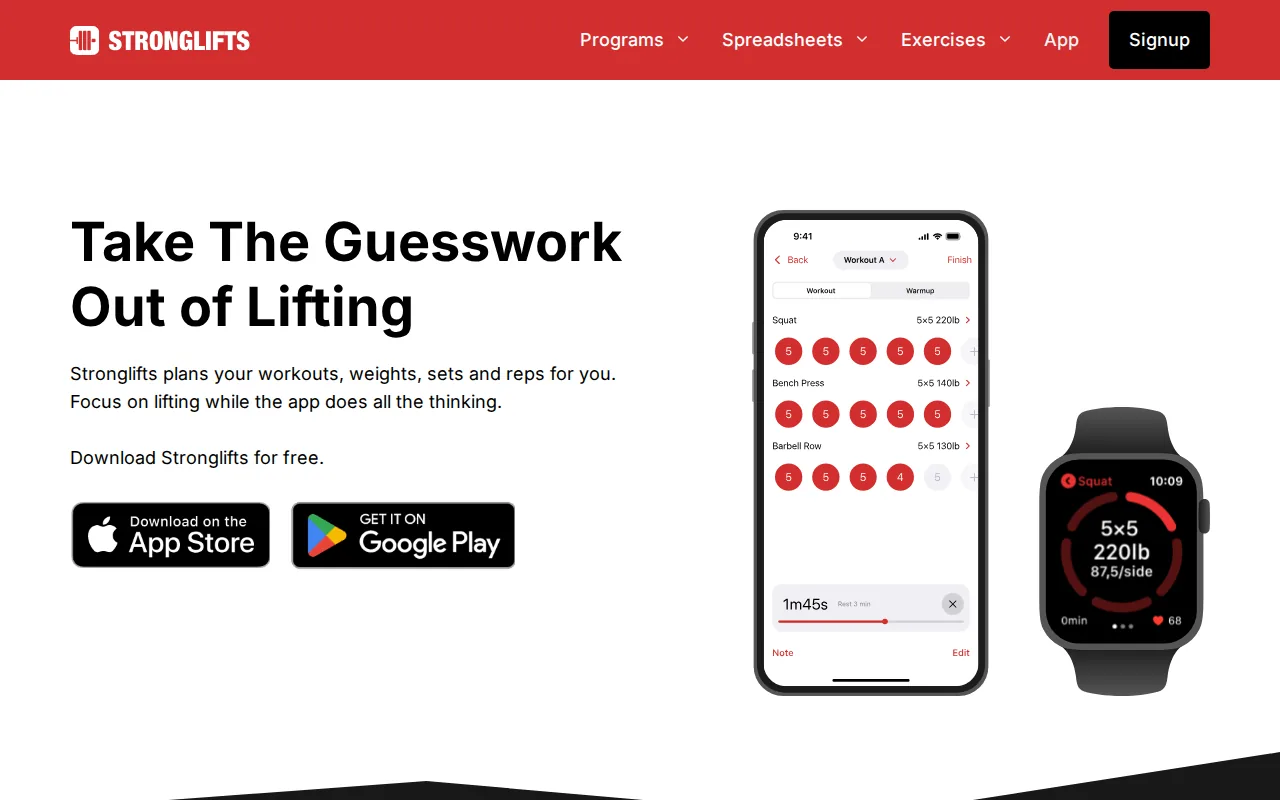
The program lays out the workouts, weights, sets, and reps. Its main promise is simple: follow the prescribed work while the app handles the program logic. That can remove decision fatigue during the first stage of strength training.
A fixed program also makes progress easier to read. You repeat the main movements often enough to see whether the planned load is moving up. You do not need to build a split, compare dozens of exercises, or write a progression rule into a spreadsheet.
The narrow design is also the limit. A 5x5 plan will not suit every goal, exercise preference, schedule, or recovery pattern. It gives you less room to use RIR, change weekly muscle volume, or run a custom hypertrophy block.
Use it when you want a clear barbell template and minimal choice. If you already have a split, want to record RIR, or need exercise swaps in a busy gym, a flexible tracker will fit better.
For any beginner plan, start with loads you can control. A planner can set the next number, but it cannot check your form or judge pain.
7. Fitbod
Fitbod is an automated strength planner that builds workouts around your goals, experience, equipment, and recent training. It suits people who want the app to make most programming decisions.
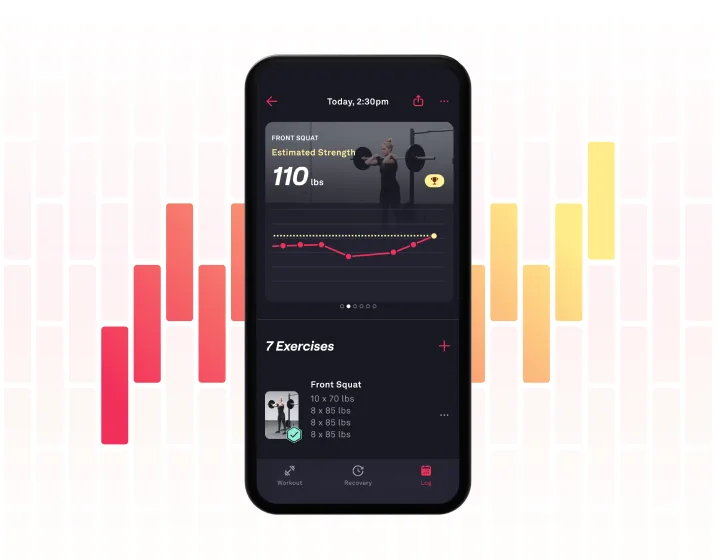
Fitbod automatically adjusts volume based on muscle recovery. You can set up bodyweight, bands, or gym equipment, then receive a workout matched to that setup.
This can help when your schedule changes often. If you train at home one day and use a full gym the next, the plan can work from the equipment you make available. The app also includes exercise demonstrations and cues, which can help someone learn an unfamiliar movement.
The workflow is different from a traditional logbook. You do not begin with a fixed upper-body or lower-body plan and ask the app to remember it. You begin with your current settings and let the system produce the session.
That distinction matters for experienced lifters. Automated planning is useful when you do not want to write the program. It is less useful when you already run a carefully planned block and only need quick logging.
Fitbod is also not centered on RIR as the main set record. It uses recovery and training history to adjust the workout, while RIRLift puts logged effort beside load and reps so the next recommendation has a clear reason behind it.
Pick Fitbod when you want daily programming decisions handled for you. Pick a routine-first tracker when your plan already exists and the problem is carrying it out without losing focus.
8. Lyfta and Setgraph
Lyfta and Setgraph are two lighter choices for people who want a focused workout log. They may fit lifters who prefer to keep the plan simple and handle more of the programming themselves.
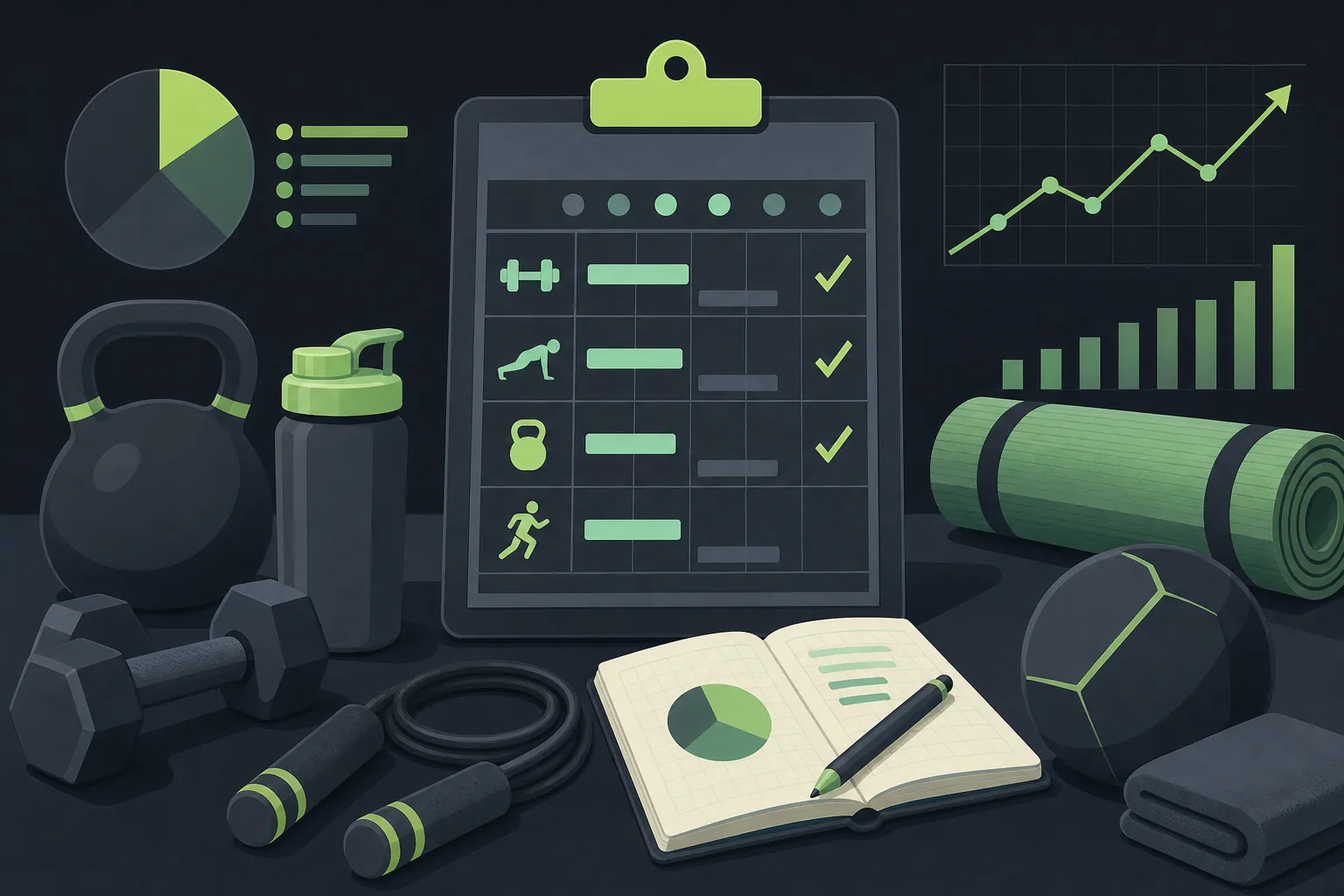
Lyfta is listed for iOS and Android and includes RIR and RPE support. Its stated audience is serious strength training. That makes it more relevant to lifters who want effort data in the record rather than load and reps alone.
Setgraph is an iOS workout logger that suggests a working weight based on your personal record. Its platform focus may appeal to someone who wants a small, direct log without a large program catalog.
Neither option should be judged by the same standard as a full program library. A simple logger can be easier to use because it asks fewer questions before a set. The trade-off is that you may need to bring your own split, exercise order, and weekly volume targets.
Ask what happens after you finish a set. Does the app show the previous load? Can you record RIR? Does the next target come from your actual performance, or do you decide it later? Those answers matter more than the length of the exercise list.
RIRLift sits between these two needs. It keeps the session focused, but adds Coach recommendations, weekly volume by muscle, exercise swaps, and Apple Watch logging for people who want more than a blank logbook.
Free workout planner comparison: features, platforms, and ideal users
A free workout planner can mean several different things. One app may give you a full program. Another may give you a blank log. A third may build each session from your equipment and recent history.
The table below compares the main decision points from the options above. It does not treat more features as automatically better. The right fit depends on how much programming you want to do before you enter the gym.
| Option | Planning style | Platform detail | Useful fit | Main trade-off |
|---|---|---|---|---|
| RIRLift | Build a routine or select a program; Coach recommends the next load | iPhone and Apple Watch | RIR-based gym lifting with fast logging | Focused on lifting and Apple devices |
| BoostCamp | Large program library plus custom plans | iOS and Android; no Apple Watch app documented | People who want a free structured program | Less suited to wrist-first sessions |
| Alpha Progression | Generated plans with targets for each set | iPhone | Precise weight and rep guidance | Some planning features sit outside the free tier |
| BetterMe | Ready routines, home plans, and coaching tools | iPhone | Guided general fitness and home movement | Less focused on RIR-based progression |
| Hevy | Custom routines and social routine sharing | iPhone, Android, and Apple Watch support documented | Broad logging with a community layer | Social features may add distraction |
| JEFIT | Custom plans, exercise database, and adaptive tools | Platform details vary by current listing | High-volume training and exercise variety | Large feature set can feel busy |
| StrongLifts 5x5 | Fixed barbell program with automatic progression | Check the current official listing | Beginners who want few decisions | Limited flexibility outside the program |
| Fitbod | Automated sessions based on goals, equipment, and recovery | Platform details vary by current listing | People who want daily programming handled | Less suited to a fixed personal program |
RIR is worth treating as a separate decision point. A set at 2 RIR means you believe you had about two clean reps left. That estimate gives context to the load and reps, especially when the same exercise feels different across the week.
Apple Watch support is another clear dividing line. A watch can reduce the number of times you unlock your phone between sets, but only if the app supports the fields you care about. If you want to log RIR from the wrist, confirm that the watch workflow includes it before you build your whole routine there.
Finally, separate automation from adaptation. An app may increase weight after you hit your reps. That does not mean it uses your effort rating, fatigue, or weekly muscle volume. Those are different forms of guidance, and your choice should match the way you train.
FAQ about free workout planners
What is the best free workout planner?
The right free workout planner depends on your training style. RIRLift fits iPhone lifters who want routines, set logging, RIR tracking, Apple Watch support, and a next-load recommendation. BoostCamp fits people who want a large free program library. StrongLifts 5x5 fits beginners who want a fixed barbell plan.
Is RIRLift free to use?
RIRLift has a free core workflow for running and logging workouts. You can build routines or choose a program, record sets, use Coach recommendations, and train on iPhone or Apple Watch. RIRLift is focused on gym lifting, so it may not fit someone looking mainly for home cardio, meal tracking, or guided classes.
Which workout planner tells you what weight to lift?
Several workout planners provide weight guidance, but they use different methods. RIRLift uses your logged load, reps, and RIR to work out the next recommendation. Alpha Progression gives set-level weight and rep targets. Fitbod generates sessions from training history, equipment, and recovery settings.
Can I track RIR in a free workout app?
Yes, some free workout apps let you record RIR, which means reps in reserve. RIRLift places it beside load and reps for each set, while BoostCamp documents RIR and RPE logging. Recording effort can help you explain why the same weight moved differently on two days.
What should a workout planner track?
A useful workout planner should track the fields you use to make the next training decision. For strength and hypertrophy, that often means load, reps, exercise, rest, and RIR. Weekly hard sets by muscle can also show whether your plan is placing enough work on the muscles you want to train.
Do free workout planners work with Apple Watch?
Some free workout planners work with Apple Watch, but support varies by app and by feature. RIRLift lets you run active workouts from the watch and record training data there. Hevy also documents Apple Watch support. BoostCamp does not have a dedicated Apple Watch app.
Conclusion
Choose RIRLift if you want a focused iPhone workout planner that records RIR, tracks weekly volume, and tells you what to lift next. Start by building one routine and logging your next session honestly. The numbers from that workout will give you a better starting point than a guess.