
Blog
Best Strength Training App: What to Look For
Published September 22, 2026 · 13 min read
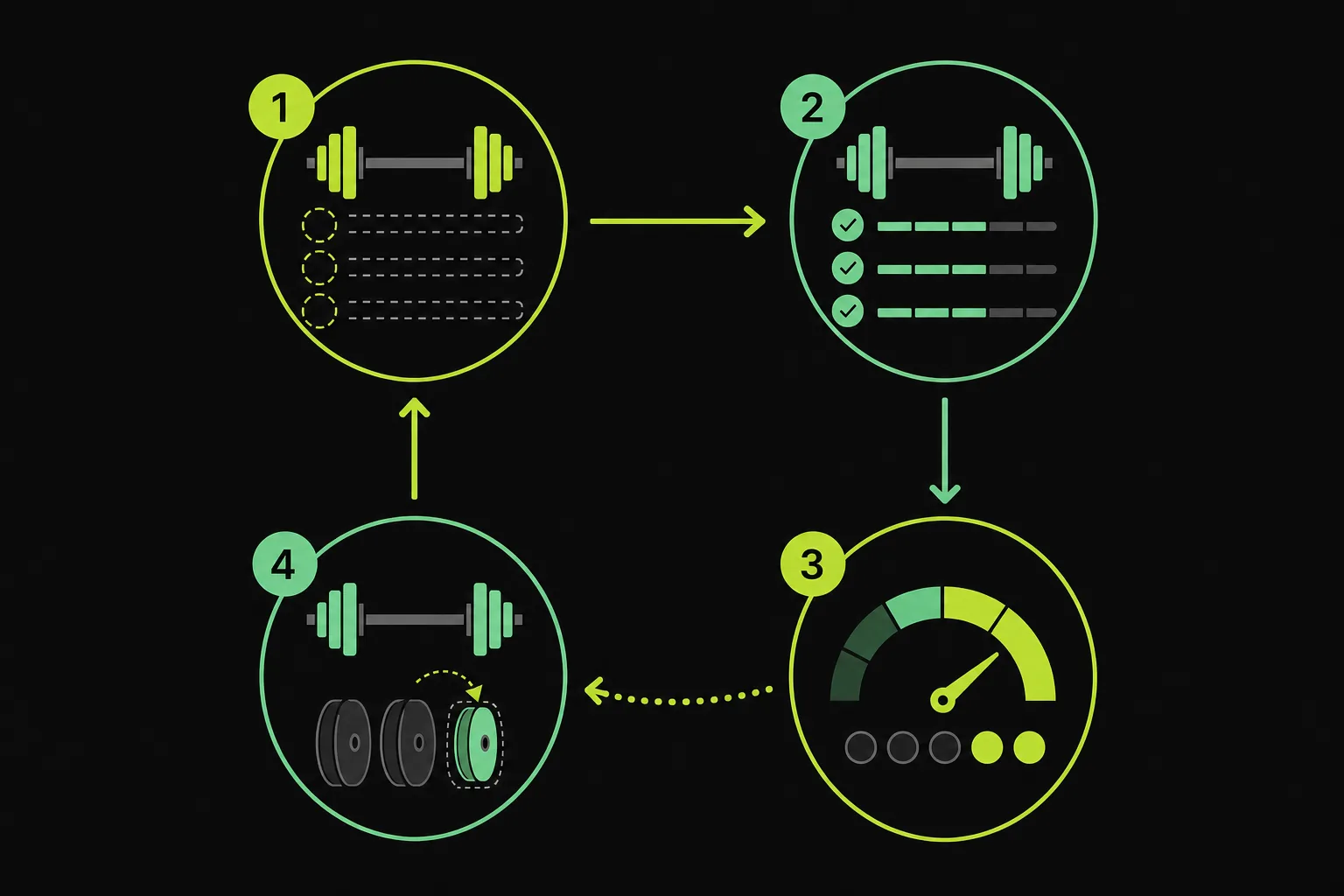
The best strength training app should do more than record your last workout. It should help you choose the next load without burying you in menus. RIRLift ranks first for lifters who want Apple Watch logging, RIR and RPE tracking, and automatic next-session weight suggestions in one free, ad-free app.
1. RIRLift
RIRLift is a gym workout tracker for iPhone that tells you what to lift next. It suits lifters who want a clear logbook with enough detail for progressive overload, without a social feed or sign-up step.
Build your own routine or compare workout plan generator apps if you want a ready-made starting point. During the session, log each set with a tap. Afterward, the built-in Coach uses what you actually completed to work out a suggested load for your next session. That matters because a fixed plan can't know how the last workout went.
Say your target is three sets of eight. You finish the first two sets well, but the last set slows down. A useful tracker should retain that result rather than treating the workout as perfect. RIRLift uses your logged work to shape the next recommendation.
RIR means reps in reserve, or the reps you think you could still complete before failure. RPE describes how hard a set felt. Together, they give the app more context than weight and reps alone. A 185-pound set can feel easy one day and very hard the next.
RIRLift also supports rest timers, warm-up sets, drop sets, progress views, and weekly volume by muscle. You can run the workout on Apple Watch when you want to log from your wrist. The app works with beginner routines, strength plans, and hypertrophy work that uses RIR or RPE.
The product is available through the RIRLift App Store listing. A free web planner and shareable routine links are available at the RIRLift website.
There is a trade-off. RIRLift is designed for people who lift in a gym and want progression built into the log. It isn't a meal planner, a general wellness dashboard, or a social workout network. That narrow focus is useful if your main question is simple: what should I do next time?
For a deeper look at how automatic load targets work, compare the ideas in our guide to progressive overload apps. The useful test is whether the app changes the next session from your own data, not from a generic promise.
Key Takeaway: Choose RIRLift when you want a focused logbook that connects set performance, effort, and your next suggested load.
How Strength Training Apps Decide What You Should Lift Next
A strength training app usually makes its next-load decision from past sets. The quality of that decision depends on what the app records and how it treats missed reps, easy sets, and changes in effort.
The simplest system repeats the last weight. That works for a short linear plan, but it breaks when sleep, stress, equipment, or fatigue changes your performance. A better system starts with the planned target, then checks what you actually did.
The basic progression loop
Most useful progression systems follow a loop:
- You set a target for load, reps, or effort.
- You record the result for each set.
- The app compares the result with the target.
- It suggests a change for the next exposure.
The change may be a small load increase, the same load with more reps, or a repeat session. The right choice depends on the program and the rule behind it. An app that always adds weight can push you past the intended effort range.
RIR and RPE add a second layer. If you complete all prescribed reps with two reps left, the next load may rise. If the same set reaches failure, repeating the load may make more sense. The recorded effort helps separate progress from a lucky day.
Some apps use a fixed progression rule. Others use an algorithm that also considers goals, equipment, or recovery. Fitbod, for example, describes customized workouts based on goals, fitness level, and equipment. That is different from a simple logbook that keeps your routine fixed.
RIRLift takes a middle path. You can build or select the routine, then let the Coach calculate the next weight from the work you logged. This keeps the plan in your hands while reducing the math you must do between sessions.
Another model pairs a ready-made program library with set logging and automatic progression. That can suit people who want a plan ready to run. It also shows why you should check the rule behind any recommendation before trusting it.
Look for plain answers to three questions. What does the app do when you miss reps? Does it use RIR or RPE? Can you edit a bad entry without losing your training history? If the product page doesn't explain these points, test the app with a simple routine before moving your whole log.
The Features That Matter for Different Types of Lifters
The best features in a strength training app depend on how you train. A beginner needs a clear plan. An experienced lifter may care more about effort data, volume by muscle, and flexible exercise swaps.
| Lifter type | Most useful feature | What to check | Common compromise |
|---|---|---|---|
| New lifter | Guided routine | Can you see the next exercise without guesswork? | A large library can feel overwhelming. |
| Strength-focused lifter | Load progression | Does the app track heavy sets and repeat targets? | Some systems give load advice without effort data. |
| Hypertrophy lifter | RIR or RPE tracking | Can you record how close each set was to failure? | Detailed entry can slow down the workout. |
| Apple Watch user | Wrist logging | Can you record sets without holding your phone? | Watch support is still uncommon. |
| Program builder | Routine editing | Can you add warm-ups, drop sets, and exercise swaps? | Some apps limit custom routines. |
| Data-focused lifter | History and volume views | Can you inspect progress by lift or muscle? | More charts can add clutter during training. |
If you're new to lifting
Start with a routine that tells you what comes next. You don't need dozens of programs on day one. You need a short list of exercises, a clear rep target, and a log that makes the next session easy to start.
Warm-up support can help too. It keeps the first working set from becoming a guess. Rest timers are useful when you tend to rush between sets, though you should still adjust rest when the lift or effort calls for it.
If you already follow a program
Prioritize control. You should be able to enter your own routine rather than being forced into a preset. Look for support for drop sets, supersets, warm-up sets, and exercise notes if your plan uses them.
RIRLift fits this group because it keeps routine design open while calculating the next load from your logged result. You can use the same tracker for a simple beginner plan or a detailed hypertrophy split.
If you care about trends
Check how the app groups data. Total weight lifted can look impressive while hiding a drop in performance on one key lift. Weekly volume by muscle may tell a better story for hypertrophy work.
Also check whether the app records the context behind a number. A personal record is useful. A personal record with effort, reps, and notes is easier to interpret when your program changes.
Don't choose features because they sound advanced. Choose the ones you'll use while tired, between sets, when time is tight. A plain log that you complete beats a rich dashboard you avoid.
RIR, RPE, and Progressive Overload in a Strength Training App
RIR and RPE help a strength training app judge effort instead of looking at load alone. That makes them useful when your performance changes across the week.
RIR means reps in reserve. If you finish a set and believe you could complete two more clean reps, you logged two RIR. RPE is often expressed on a 1-to-10 scale. In resistance training, an RPE of 8 commonly lines up with about two reps in reserve.
These are estimates, not lab readings. New lifters often need time to learn what a true hard set feels like. The estimate also gets harder when an exercise is new, the range of motion changes, or fatigue builds across a session.
A review of the RIR-based RPE method describes it as a way to adjust load to the day's performance. It also notes that lifters can improve their estimates with practice.
Progressive overload does not mean adding weight every workout. It means giving the body a reason to adapt over time. You might add a rep, improve technique, increase load, or complete more work at the same effort.
Think about a dumbbell press. In week one, you use 60 pounds for eight reps at three RIR. The next week, you complete nine reps at the same effort. That is progress even though the dumbbell did not change.
A useful app should let you see that difference. It should keep the load and reps, but it should also preserve the effort note. That record can stop you from increasing too fast after an unusually easy session.
RIRLift places these inputs in the same workflow as the next-load suggestion. You log the set, add the effort when useful, and review the recommendation before the next session. You remain responsible for form and safety. The app only works with the information you enter.
For a plain explanation of the term, learn more here.
Use RIR as a guide, not a command. If pain appears, technique breaks down, or the load feels unsafe, stop the set and reassess. No algorithm can see everything that happens in a gym.
Pro Tip: For your first few weeks, record RIR after the set before checking the suggested load. This helps you learn your own effort scale instead of copying a number.
How to Choose a Strength Training App You Will Keep Using
The best strength training app is the one that fits your actual workout. Test the full path from opening the routine to finishing the last set, not just the setup screen.
Start with your real workout
Write down the routine you already follow. Include the exercises, working sets, rep targets, warm-ups, rest periods, and any drop sets. Then check whether the app can represent that session without awkward workarounds.
If you train four days each week, test all four days. One app may handle a simple upper-body day well but struggle with supersets or mixed rep targets. That problem appears only when you use your own plan.
Test the logging flow
Log a set with one hand. Start the rest timer. Mark a warm-up or drop set. Correct a typo. These small actions repeat every session, so friction adds up quickly.
Watch for apps that push social posts or upgrade prompts during a workout. Those features aren't always bad, but they can get in the way when your rest clock is running.
Check the progression rule
Find out how the app decides what happens next. Does it repeat the load after a missed target? Does it increase weight after extra reps? Can you override a suggestion when fatigue is high?
Fitbod describes customized sessions based on goals, fitness level, and equipment. That approach can help people who want the app to build more of the plan. A focused logbook may suit you better if your routine already comes from a coach or program.
Also check how the app treats effort. A load calculator without RIR or RPE may miss the difference between a smooth set and a grinder. For data-driven training, that missing detail can make the trend harder to read.
Check device support
If you own an Apple Watch, confirm that you can log a set from the wrist. Don't assume watch support means the same thing across apps. Some apps show a companion view, while others support a full workout without the phone.
RIRLift is built for this use case. Set up routines on iPhone, then log from Apple Watch when you want fewer distractions near the rack. That is a small feature until you try to hold a phone while loading plates.
Check your data and privacy needs
Look for export, backup, and account requirements. If an app requires a sign-up before you can test basic logging, decide whether that trade-off suits you. You should also know what happens if you change phones.
Don't ignore the feel of the app. A good choice should make your next workout easier to begin. If you spend more time fixing the log than training, switch before your history becomes difficult to move.
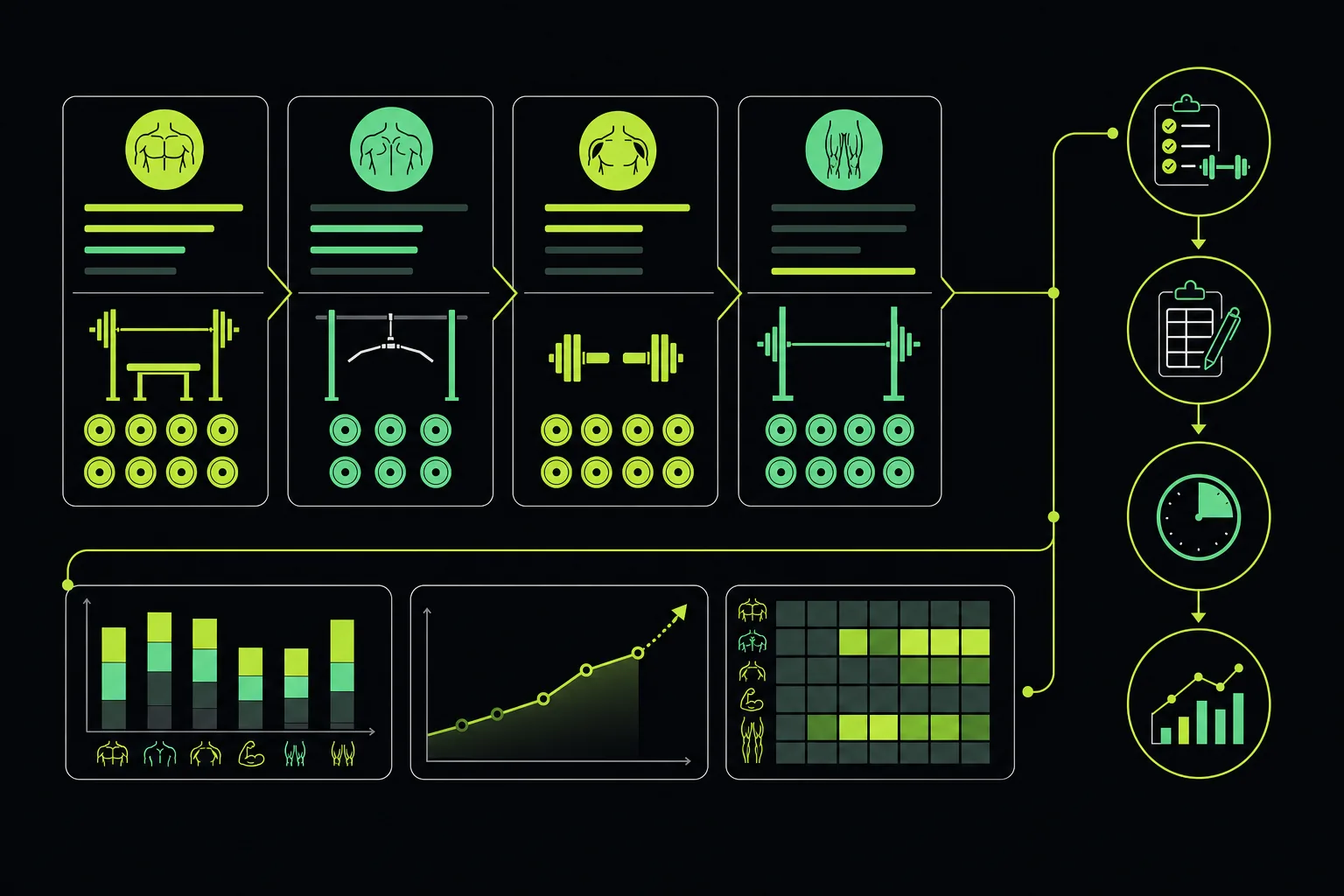
A short trial is enough to expose most problems. Build one routine, complete two workouts, and review the history. If the app records your work cleanly and gives a recommendation you understand, it has passed the useful test.
Frequently Asked Questions About Strength Training Apps
What is the best strength training app for progressive overload?
RIRLift is a strong choice for progressive overload because it uses your logged sets to suggest the next weight. You can build a routine or choose a program, then track how the load changes across sessions. RIR and RPE notes add context when your performance changes.
Can a strength training app tell me what weight to lift next?
Yes, some strength training apps can suggest your next load from past results. The useful ones explain the rule behind the suggestion. RIRLift's Coach uses what you completed in the current workout, rather than relying only on a fixed percentage or a generic increase.
Do strength training apps track RIR and RPE?
Some strength training apps track RIR, RPE, or both, but the feature isn't universal. RIR records how many reps you had left, while RPE records perceived effort. This information helps explain why the same load may feel different across two workouts.
Can I use a strength training app with Apple Watch?
Yes, but Apple Watch support varies by app. Some apps let you view a workout, while others support set logging from the wrist. RIRLift supports Apple Watch logging, so you can record sets without keeping your iPhone in your hand.
Are free strength training apps good enough?
Free strength training apps can be enough if they let you log your actual routine and review progress. Check for limits on custom routines, history, watch support, and automatic load suggestions. RIRLift is free, ad-free, and doesn't require sign-up for its core workout tracking.
Conclusion
Choose RIRLift if you want one focused log for routines, RIR and RPE, Apple Watch sets, and next-session load suggestions. Start with one routine this week, log every working set, and review the Coach's recommendation before your next workout.