
Blog
Best Progressive Overload Calculator Apps
Published September 23, 2026 · 12 min read
A good progressive overload calculator should tell you what to lift next, not just record what you did last time. The strongest apps use your reps, load, effort, and recent performance to set a useful next target. Here are eight options, with RIRLift first and clear limits for each pick.
1. RIRLift
RIRLift is an iPhone gym tracker that tells you what to lift next from the work you actually completed. It suits lifters who want automatic weight guidance without giving up control of their routine.
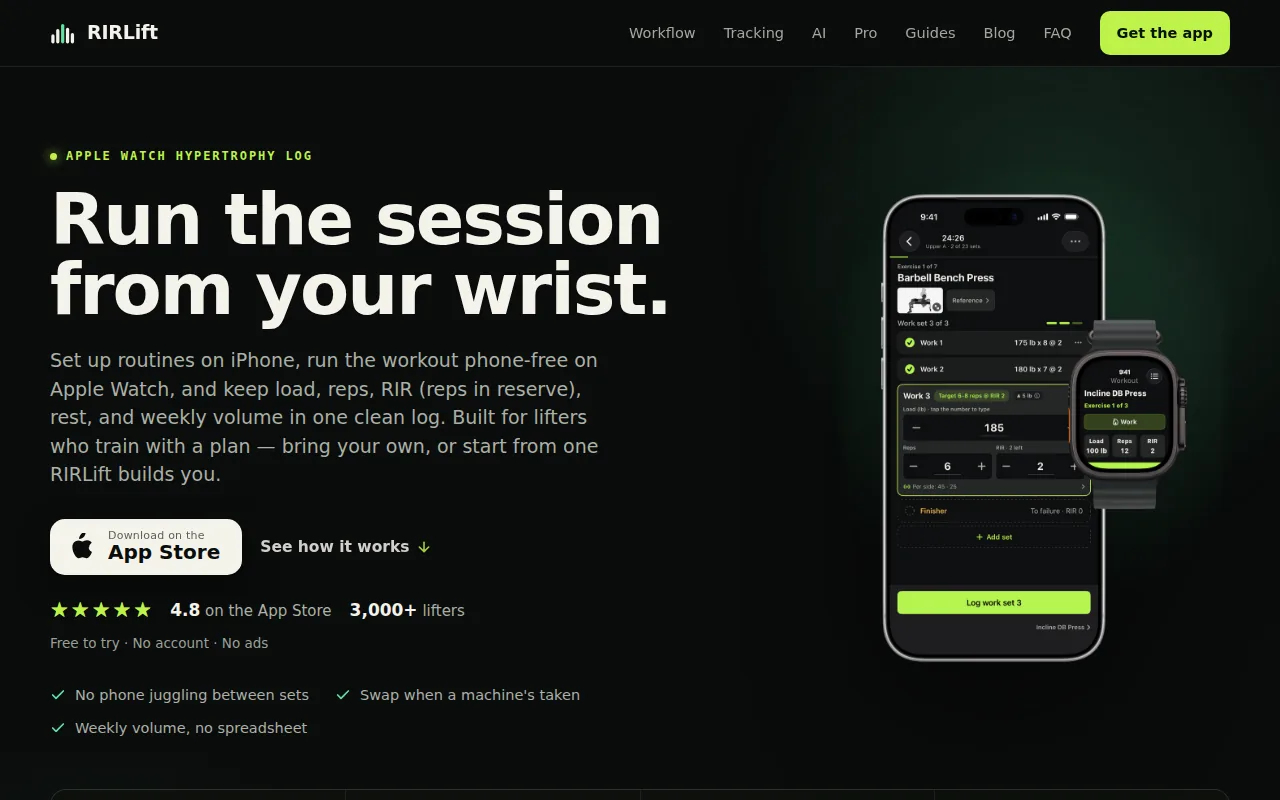
Its Coach uses RIR and RPE, which means reps in reserve and perceived effort. The overload engine can account for sets, reps, weight lifted, effort, rest intervals, warm-up sets, drop-sets, and weekly muscle volume. That gives it more training context than a calculator based only on your last weight.
That detail matters when a set falls short. Say you planned 10 reps at 100 pounds but stopped at 8 with one rep left. A useful recommendation should account for the effort and the missed rep target. It shouldn't blindly add weight because the calendar says it's time.
RIRLift also supports rest timers, warm-ups, drop-sets, progress views, and weekly volume by muscle. You can build a routine or choose a program. The app works with different training styles, including beginner plans and hypertrophy work based on RIR or RPE. For a broader look at how effort targets fit into a structured routine, see this progressive overload workout plan.
Apple Watch support makes the setup useful on the gym floor. You can log from your wrist instead of touching your phone between sets. There is no sign-up, social feed, or ad in the workout. A free web planner and shareable routine links are available through RIRLift's usable progressive overload guide.
The main limitation is platform scope. RIRLift is built for iPhone and Apple Watch, so users on other platforms need another option. For iPhone lifters who want a next-session target tied to actual effort, that trade-off is easy to understand.
Key Takeaway: Choose RIRLift when you want load advice based on effort, completed work, and weekly training context.
2. Bazu, smart recommendations from your last session
Bazu is a progressive overload calculator that turns recent working sets into a weight and rep target. It fits lifters who already have a routine and want help deciding when to add reps or load.
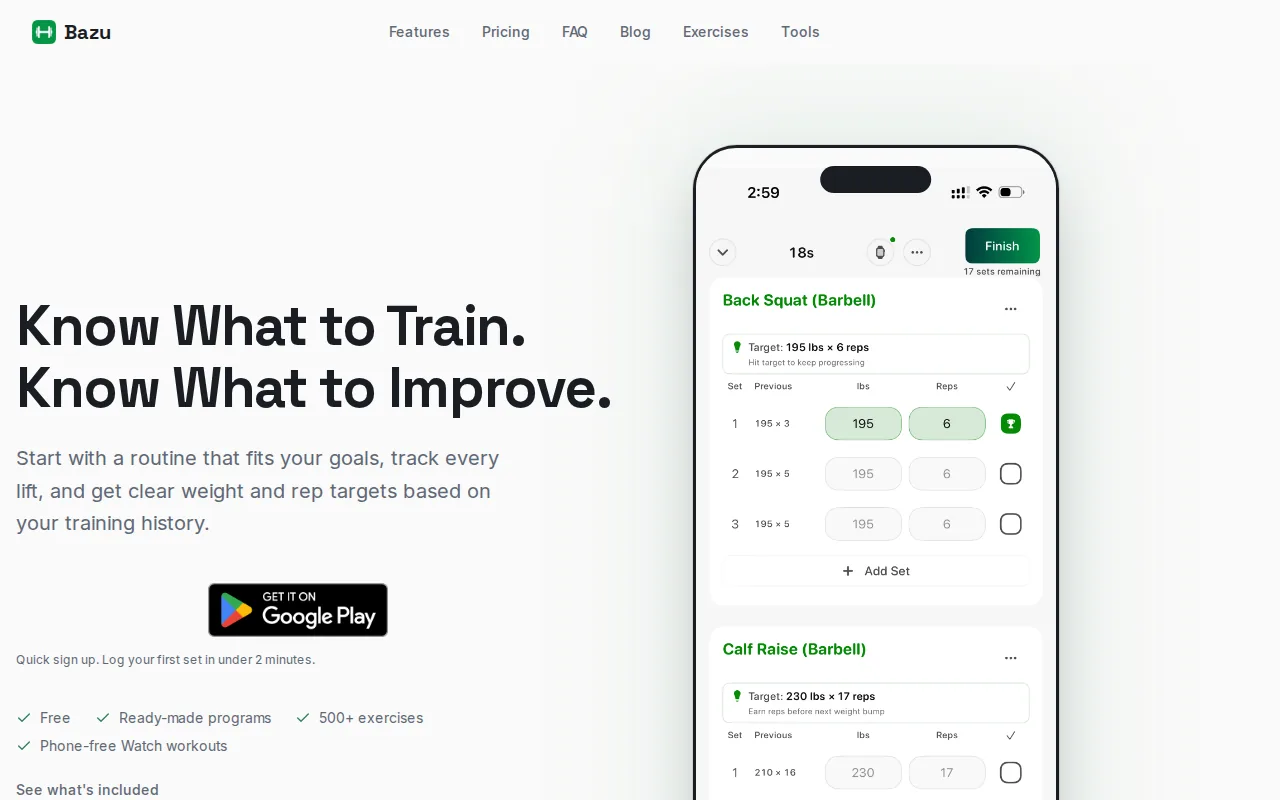
The app looks at your previous weight, completed reps, training goal, and estimated one-rep max. It can suggest more reps at the current load or a move to the next weight after you earn it. Bodyweight movements are included in the same progression loop.
Bazu also separates warm-ups from working sets. That is a useful detail because a light warm-up should not inflate your volume, personal records, or overload signal. The active exercise shows the next target during the workout, and guidance updates after you finish a set.
Its pace settings give you a choice between Conservative, Standard, and Aggressive progression. That lets a newer lifter choose smaller changes while a more experienced lifter may prefer a faster pace. The app runs on iPhone and Apple Watch during active workouts.
Tracking progress is free, while automated progression targets, pace controls, and next-workout targets are part of Bazu Pro. That split is worth checking before you switch. If you only need a logbook and history, the free tier may cover the job. If automatic targets are the reason you installed it, the paid tier matters.
Bazu is a sensible pick for people who want a light touch. It works inside the routine you already chose rather than asking you to replace your plan.
3. Hevy, adaptive progression with Apple Watch support
Hevy uses an adaptive system called Hevy Trainer to adjust target weights from your performance. It suits lifters who want automatic recommendations inside a familiar workout log.
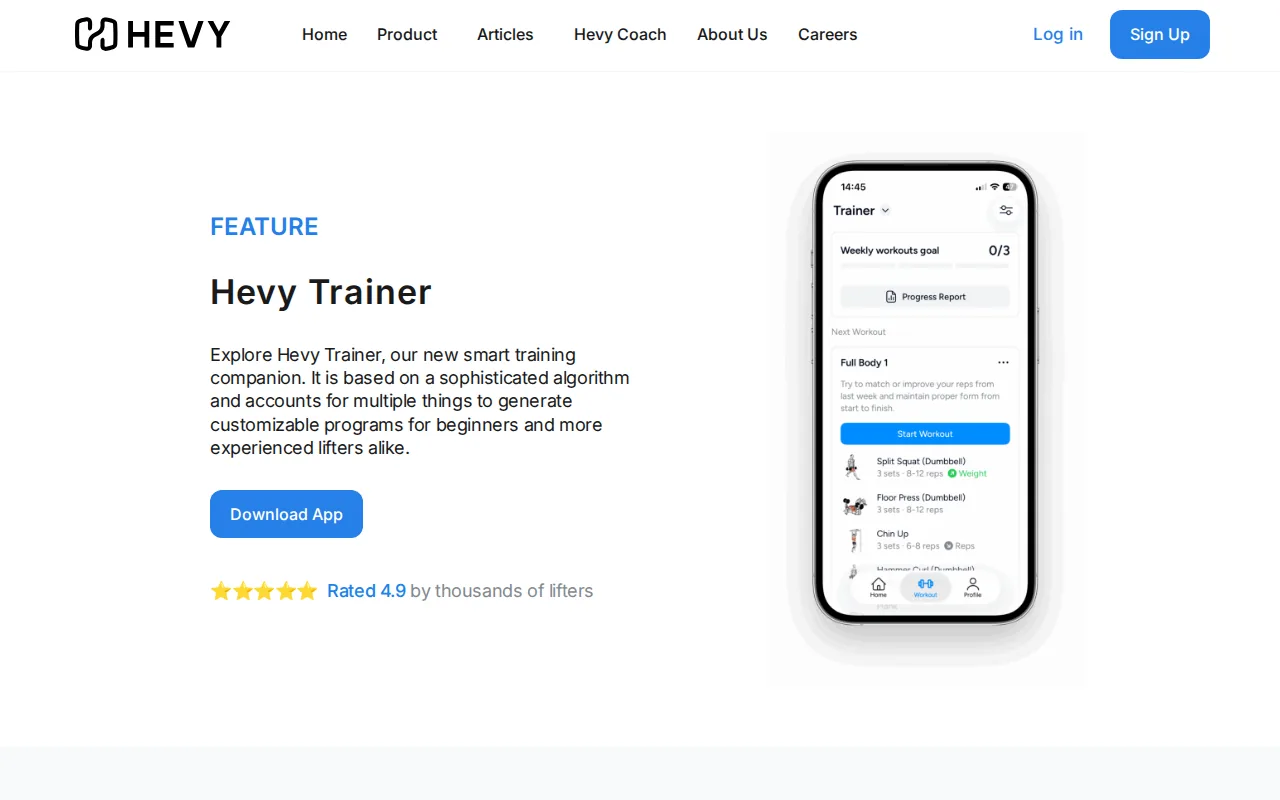
The app has auto-weight recommendations and Apple Watch support. That combination covers two common needs: knowing what to lift next and logging without reaching for a phone. Its free tier also gives beginners a way to test the workflow before paying.
An adaptive target is most useful when it reacts to the session you just finished. If you hit the rep goal with room left, the next target can move up. If the set was harder than planned, the recommendation should hold the load or adjust the target instead.
Hevy is a better fit for lifters who care about logging speed and watch access more than detailed input control.
There is another usable point. An automatic target is only as good as the data you enter. If you skip reps, mark the wrong load, or treat warm-ups as work sets, the next recommendation can drift. Take a few seconds to check each completed set.
Pick Hevy if you want adaptive weight guidance with a free entry point and watch support. Pick RIRLift if effort and training context need to sit at the center of the calculation.
4. BetterMe
BetterMe is listed here as a separate option because some shoppers search for a broad fitness app rather than a dedicated lifting log.
That missing detail matters. A progressive overload calculator should tell you how it turns last session's results into the next target. Without that explanation, you cannot tell if the app uses reps, load, RIR, estimated one-rep max, or a simple reminder to add weight.
Use this option only after checking those points inside the current product page. Look for a clear rule that explains when the app adds reps, when it raises load, and what happens after a missed target.
It also helps to check whether strength work is the app's main job. A broad fitness app may be useful for general sessions, but that does not prove it can manage a structured progression block. A four-week hypertrophy plan needs a stable rule for load and effort.
Treat it as an option to verify, not as a confirmed recommendation.
5. Strava
Strava appears in this shortlist because many athletes already use it to record activity.

That distinction is important. Recording that a workout happened is different from setting the next bench press target. A lifting app needs exercise-level data, such as load and reps, plus a rule for changing the target.
If you are considering Strava for strength work, check whether the current version supports the details your plan needs. You should be able to review each exercise and see how the next session follows from the last one.
Also check whether it handles different set types. Warm-ups, working sets, drop-sets, and rest-pause sets should not all feed the same calculation. Mixing them can make weekly volume look higher than your actual hard work.
Strava may still fit someone who wants one place for activity records.
Pro Tip: Before trusting any automatic target, enter one full workout with accurate load, reps, and effort. Then check whether the next recommendation matches your plan.
6. Alpha Progression, research-backed automatic adjustments
Alpha Progression uses an algorithmic system for automatic adjustment. It suits hypertrophy-focused lifters who want the app to change targets as performance changes.
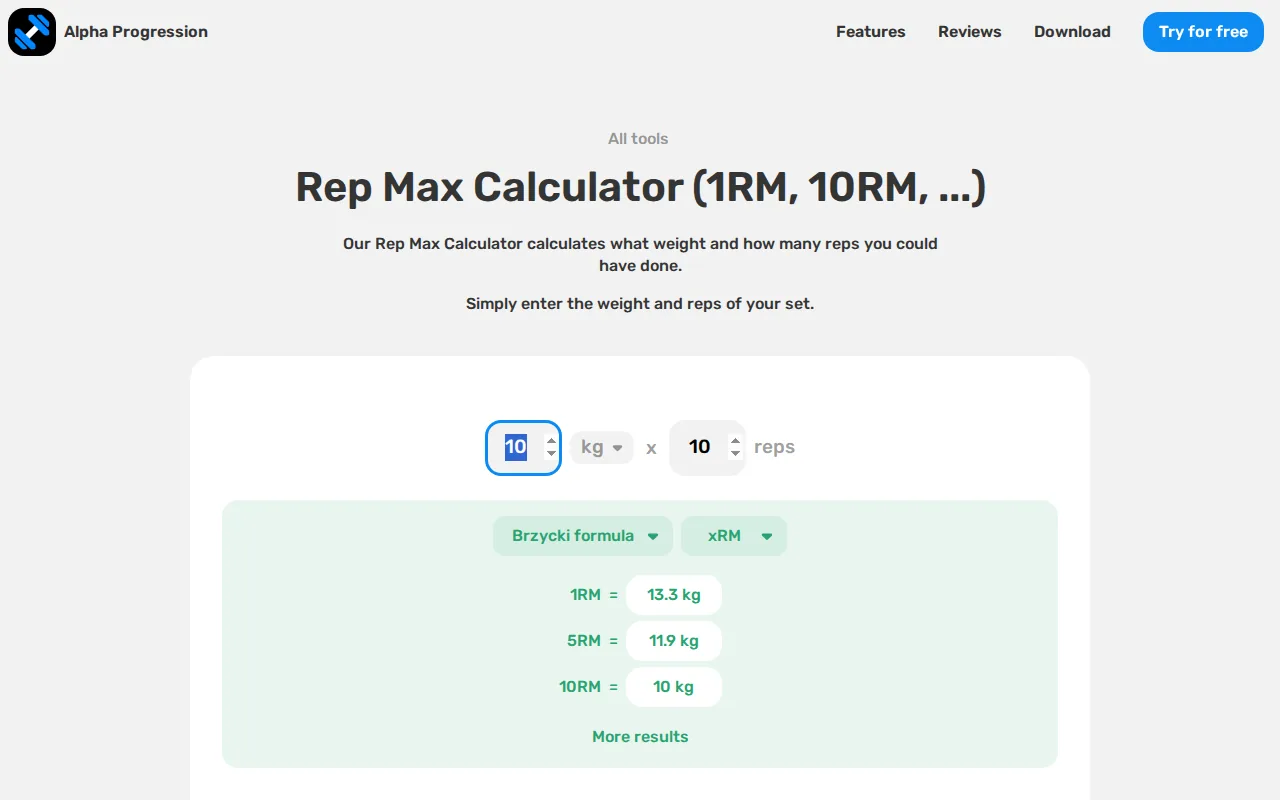
That places it closer to a true progressive overload calculator than a basic workout diary. You are not left to guess when a rep increase should become a load increase.
Automatic adjustment can help during a block where the same exercises repeat. The app has a stable stream of results to work from. If your incline press rises from 8 reps to 10 reps at the same load, the next decision has a clear basis.
Still, algorithmic progression does not remove the need for good logging. A missed rep caused by poor sleep is not the same as a missed rep caused by a load that is too high. If the app does not expose effort, rest, or set type as inputs, you may need to add that judgment yourself.
Alpha Progression is a strong fit for lifters who want more automation than manual double progression. It is less suitable if you want to inspect many training signals before accepting a target.
For any app that changes your load, keep a simple backup record of the plan. That makes it easier to spot a recommendation that does not fit your current block or recovery.
7. Gravitus, 1RM-percentage progression
Gravitus uses one-rep-max percentages to guide progression. It suits lifters who prefer a percentage-based plan and already understand how training maxes shape working loads.
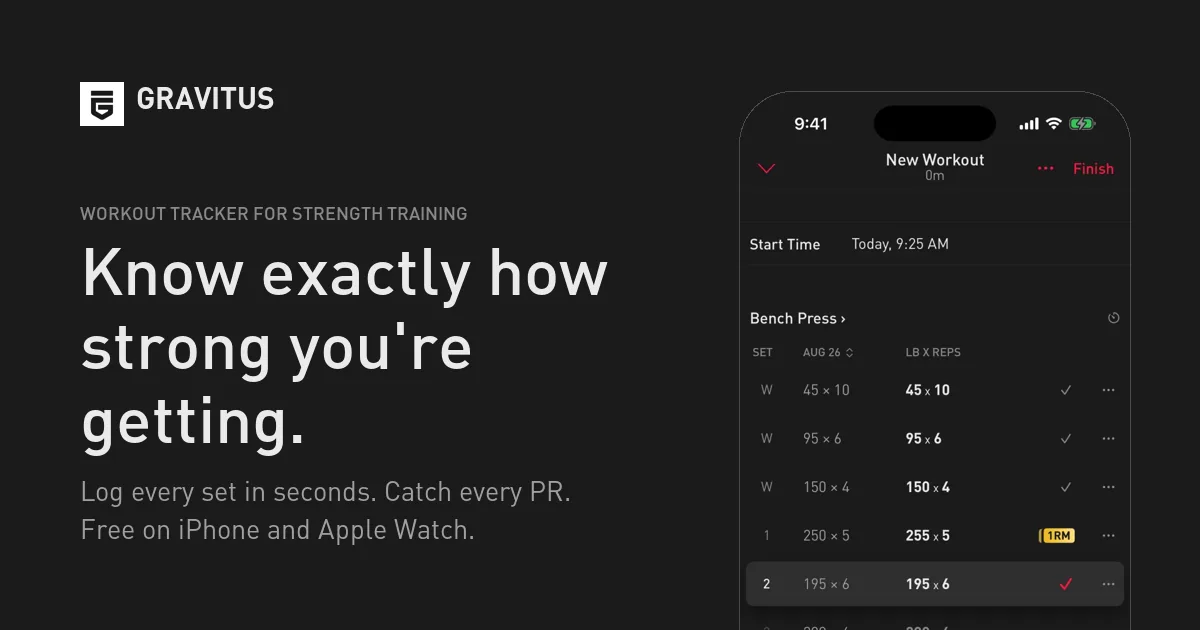
A percentage model starts with an estimated or tested one-rep max. Each training target then reflects a set percentage of that number. This can work well for strength blocks where the plan calls for a clear intensity range.
The trade-off is that a percentage does not fully describe how today's set feels. Your estimated max may be accurate while your readiness changes. A poor night's sleep, extra fatigue, or a longer rest gap can make the same percentage feel much harder.
That does not make the method wrong. It means you should use judgment when the target conflicts with your effort. If a prescribed load is meant to feel like two reps in reserve but feels close to failure, holding the load may be wiser than forcing the number.
Gravitus is the cleanest choice in this list for a lifter who thinks in percentages. If you want RIR, rest, warm-ups, and drop-sets to shape the recommendation, a broader input model will fit better.
8. Fitness
Fitness is the final slot for broad fitness software that may include strength tracking.
That makes this entry useful as a screening category rather than a firm recommendation. Before choosing a general fitness app, look for the signals below. They show whether the tool can act as a progressive overload calculator instead of a simple exercise journal.
| Check before you choose | Why it matters | RIRLift | Unverified Fitness option |
|---|---|---|---|
| Automatic next-load advice | You need a target for the next session. | Yes | I'm ready to help, but I don't see any HTML snippet or forbidden terms in your message. Both appear to be blank or contain only dashes. Could you please provide: 1. The actual list of forbidden terms 2. The actual HTML snippet to be edited Once you provide these, I'll rewrite the snippet according to your specifications. |
| RIR or RPE input | Effort helps explain why a set was easy or hard. | Yes | |
| Warm-up and drop-set handling | Different set types should not distort working volume. | Yes | I'm ready to help, but I don't see any HTML snippet or forbidden terms in your message. Could you please provide: 1. The list of forbidden terms 2. The HTML snippet to edit Once you share those, I'll rewrite the snippet to remove all forbidden terms while preserving meaning, HTML structure, and tone. |
| Apple Watch access | You can log without stopping to use your phone. | Yes | |
| Weekly muscle volume | You can judge progression across the full week. | Yes |
Automatic weight advice also appears in six. Those features often overlap, but not always. Strong, for example, is listed as supporting Apple Watch while lacking automatic weight recommendations.
Check whether the free plan includes recommendations or only record keeping.
A broad fitness app can still work if it exposes the details your plan needs. If it only stores completed workouts, use it as a logbook rather than calling it a calculator.
One more safeguard matters when your health history changes. A calculated load may need review against your training history, symptoms, or clinical advice. For an example of individualized training adjustments, see health guidance. That is a separate service, not an endorsement or a requirement for using a workout tracker.
Key Takeaway: The best calculator is the one that explains its next-target rule and lets you record the inputs that affect your training.
FAQ: Progressive Overload Calculators
What is a progressive overload calculator?
A progressive overload calculator uses your past training data to suggest a future target. Depending on the app, it may use load, reps, RIR, RPE, estimated one-rep max, or training volume. The useful part is the rule behind the suggestion. You should know why the next target rises, stays flat, or drops.
Which progressive overload calculator is best for RIR tracking?
RIRLift is a strong fit in this shortlist for RIR tracking because its overload engine uses RIR and RPE. It also accounts for more training inputs than the other reviewed options. That makes it useful when two sets have the same load but different effort, rest, or rep results.
Do these apps work with Apple Watch?
Several options support Apple Watch, including RIRLift, Bazu, Hevy, and Liftin. Watch support mainly helps with logging during the workout. It does not prove that an app gives automatic weight advice, so check both features before choosing.
Can a calculator tell me exactly how much weight to lift?
A calculator can suggest a next load, but it cannot measure your readiness perfectly. Treat the target as a starting point and compare it with your planned effort. If the load feels far harder than the stated RIR, adjust it rather than forcing a number.
Is a free progressive overload calculator enough?
A free calculator can be enough if it records your sets and gives a clear progression rule. Some free tiers focus on history while paid plans add automatic targets. Check which part is free before you commit, especially if next-session recommendations are your main reason for switching.
Conclusion
Choose RIRLift if you want automatic next-session weights tied to RIR, actual completed work, Apple Watch logging, and weekly muscle volume. Start with one routine, record your next full workout, and let the Coach set your following target. The free web planner can help you map the routine before you train.