
SHRED vs Fitbod
Published November 12, 2026
Pick Fitbod if you mainly lift and want each session built around which muscles have recovered; pick SHRED if you want coach-built programs plus HIIT, circuits and studio classes in one membership. If what you do is gym lifting and you want each weight decided from your last set, RIRLift does that free on iPhone and Apple Watch, with no trial to run out.
Free on iPhone and Apple Watch · No account · Coming to Android: join the waitlist
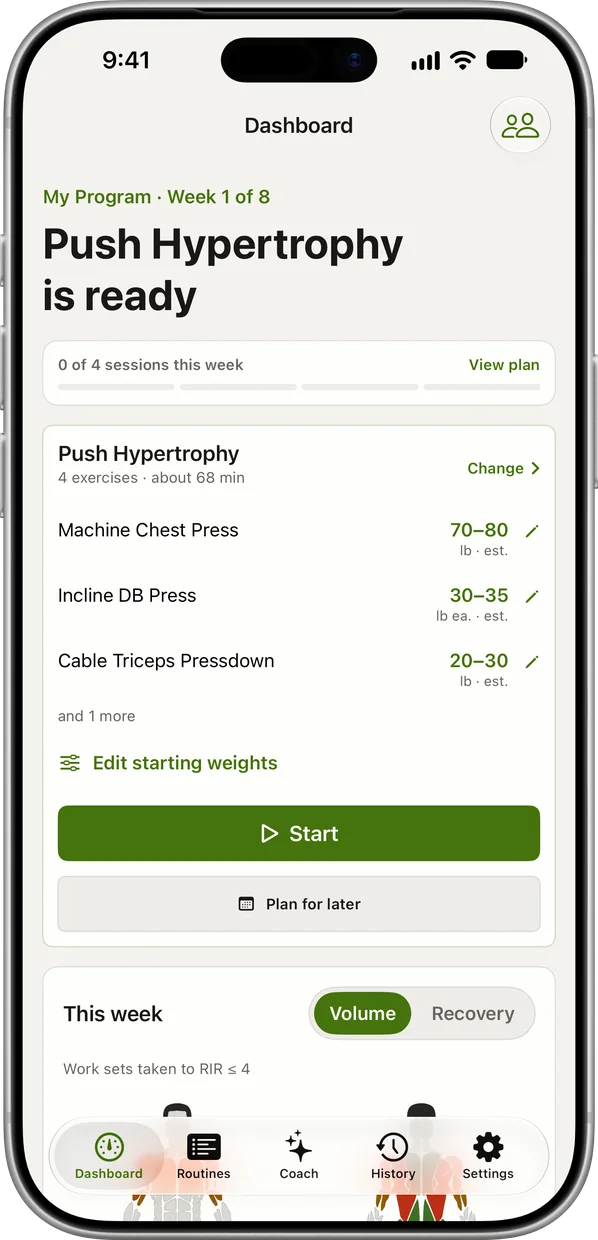
SHRED vs Fitbod, with RIRLift for lifting
| Feature | SHRED | Fitbod | RIRLift |
|---|---|---|---|
| Free use | 7-day trial | 7-day trial | Free with no workout limit, 4 active routines (better here) |
| Price in the US | $12.99–$19.99/month or $99.99–$119.99/year | $15.99/month or $95.99/year | Pro optional: $9.99/month or $79.99/year |
| Built for | Lifting, circuits, HIIT and studio classes (better here) | Strength sessions, with optional cardio | Gym and home lifting only |
| Where the plan comes from | Coach-written programs, adapted to you | Generated one workout at a time | A plan you pick or Coach drafts, kept week to week |
| How it picks the weight | AI suggests weight, rest and tempo | Recent sessions, heavier and lighter days on purpose | Your reps and reps left, after every set |
| Equipment changes | Rebuilds the workout for the gear you tap | Builds from your saved equipment | Swaps and rounding stay inside your equipment list |
| Apple Watch | Logs reps, heart rate and music | Logs sets; start, swap and save on the iPhone | Start, swap, log and finish on the Watch (better here) |
| Social | Live feed, gym leaderboards, partner workouts (better here) | Not its focus | Friends, challenges, weekly board |
| Platforms | iPhone, Android, Apple Watch | iPhone, Android, Apple Watch, Wear OS | iPhone and Apple Watch only |
SHRED if you want classes and circuits alongside lifting, with friends; Fitbod if lifting is the point and you want sessions built around recovery. RIRLift is the free pick for lifting alone, with every weight set from your last set.
What separates SHRED and Fitbod
-
Lifting only, or lifting plus classes
SHRED pairs guided strength programs with live and on-demand studio classes, HIIT and cardio, all in one membership. Fitbod is built around strength sessions; cardio, warm-ups and cooldowns are options in its plan settings.
-
Where the workout comes from
SHRED starts from programs written by its coaches, such as Bulk or Lean-X, then adapts them to your goal, equipment and schedule. Fitbod generates each workout from your goal, equipment, split and the recovery of each muscle.
-
How the weight is picked
SHRED's AI suggests weight, rest and tempo and adjusts them as you get stronger. Fitbod raises load or reps when you finish comfortably and alternates heavier and lighter days on purpose. RIRLift sets the next set from the reps you had left and the next session on double progression.
-
Price after the trial
Both give 7 days free. SHRED is $12.99 to $19.99 a month or $99.99 to $119.99 a year in the US, depending on the plan; Fitbod is $15.99/month or $95.99/year. After the trial, both need a subscription to keep training.
-
Training with friends
SHRED has a live workout feed, gym leaderboards, challenges and synced partner workouts. RIRLift has friends and challenges but no public feed.
SHRED, Fitbod and RIRLift in real weeks
Two lifting days and two HIIT classes a week
You lift Monday and Thursday at the gym and want two conditioning sessions at home in between, from the same app.
| App | What it does here | For this lifter |
|---|---|---|
| SHRED | Runs a coach-built strength program on lifting days and on-demand HIIT or studio classes on the others, in one membership. | Fits best: both halves of the week in one app. |
| Fitbod | Builds the two lifting days around recovery and can add cardio to a session. | Fits the lifting days. |
| RIRLift | Runs the two lifting days free and sets each weight from your sets. No classes and no interval timers. | Fits the lifting only, free; pair it with a class app. |
If the classes matter as much as the lifting, SHRED is the one app that covers both.
Garage dumbbells in 5 lb steps
Upper day at home with a rack of dumbbells that jump 5 lb at a time. You told RIRLift what you own, so every weight rounds to a pair you have.
| Exercise | You logged | Next session | Why |
|---|---|---|---|
| Dumbbell Bent-Over Row | 50 lb, 12 / 11 / 10 reps, 2 left | 50 lb × 11 | Not every set reached 12, so the weight holds. The weakest set hit its target of 10, so the target moves to 11. |
| Arnold Press | 30 lb, 10 / 10 / 10 reps, 1 left | 35 lb × 6 | Every set at the top of 6–10: one 5 lb step to the next pair, reps back to 6. |
Both numbers are pairs on your rack, and each one came from what you lifted last time.
Plans for lifting days
-
The best workout with dumbbells, for the dumbbells you actually have
Adjustable dumbbells and a bench, 4 days
Dumbbell upper and lower days with the bent-over row from the example.
4× a week · 71 sets a week · ~45 min
Add to RIRLiftSee the planAdd to RIRLift
Scan with your iPhone camera to add this plan.
-
The best workout for full body, for your week
Only 2 days a week, longer sessions
Two full-body days that leave room for classes in between.
2× a week · 45 sets a week · ~50 min
Add to RIRLiftSee the planAdd to RIRLift
Scan with your iPhone camera to add this plan.
Make it fit you
-
Tell it your equipment first
Pick what your gym or garage has once. Swaps stay inside that list and every weight rounds to a step your dumbbells or plates make.
-
Expect one light first set
RIRLift doesn't import from SHRED or Fitbod. On a new lift it starts light and asks for one max-reps set, then works from it.
-
Keep your conditioning elsewhere
RIRLift logs lifting and timed holds. Run your HIIT or classes in another app and keep RIRLift for the lifting days.
When a different app fits better
- You want HIIT, circuits or studio classes in the same app. SHRED, with on-demand and live classes.
- You want sessions built around muscle recovery. Fitbod, with recovery per muscle on a body map.
- You're on Android, or want a feed and leaderboards. SHRED. RIRLift is iPhone and Apple Watch only, with no public feed.
Questions
Is SHRED or Fitbod better for building muscle?
Fitbod is built around lifting and recovery, so it suits a lifting-first lifter. SHRED has hypertrophy programs too, but much of its value is in circuits, HIIT and classes.
How much do SHRED and Fitbod cost?
Both have a 7-day trial. SHRED is $12.99 to $19.99 a month or $99.99 to $119.99 a year in the US, depending on the plan; Fitbod is $15.99/month or $95.99/year.
Do SHRED and Fitbod work on Apple Watch?
Yes. SHRED's Watch app logs reps and heart rate. Fitbod's logs sets, but the iPhone starts, swaps and saves the workout. RIRLift runs the whole session on the Watch.
Is there a free alternative to SHRED and Fitbod?
For lifting, RIRLift is free with no trial: unlimited workouts, 4 active routines and a suggested weight for every set. It has no classes or HIIT.
Read next
-
Fitbod on Apple Watch, and an app that runs on the Watch alone
What Fitbod's Watch app needs the iPhone for.
-
Fitbod vs Gymverse
Another adaptive-plan app against Fitbod.
-
The home gym app that loads your own plates
Lifting at home with the equipment you own.
-
How RIRLift picks your next weight
Why the Arnold press went to 35 lb and the row held.
-
Free workout tracker apps
Free tiers compared, if a trial isn't enough.
-
Fitbod alternatives, free and paid
More apps that build workouts for you.
More ways lifters use RIRLift
-
Fitbod on Apple Watch, and an app that runs on the Watch alone
Fitbod's Watch app needs the iPhone to start and swap. RIRLift starts, swaps and sets weights on the wrist.
-
Fitbod vs Gymverse
Fitbod generates each session; Gymverse runs a multi-week plan with RIR and deloads. Who fits which.
-
The home gym app that loads your own plates
A rack, a bar and your own plates: weights rounded to what you can load, and a plan that skips the machines.