
The Apple Watch rep counter that leaves the last word to you
Published November 3, 2026
Apple's Workout app doesn't count your reps. RIRLift's Watch app has an opt-in beta that does, on exercises where your wrist travels with the weight: curls, overhead presses, pulldowns, pull-ups, dips, raises and push-ups. The Watch offers a count like "Use ~11 reps", you tap it, rate how many you had left, and log the set. Squats, deadlifts and leg machines are never counted from the wrist, so those sets stay one confirm, prefilled from last time.
Free on iPhone and Apple Watch · No account · Coming to Android: join the waitlist
What a rep counter on the Watch should get right
-
Off until you turn it on
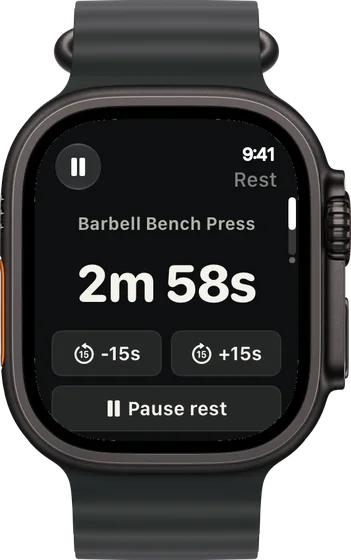
Automatic rep counting lives in the iPhone app under Settings › Labs and needs Motion access. Leave it off and every set logs the usual way: one confirm, then the rest countdown on your wrist.
-
A suggestion, never a log
When the Watch has a confident count that differs from what's entered, it shows Use ~N reps. Tap it to fill the reps, change them if you counted differently, then press Log.
-
Counted where the wrist moves
Curls, overhead presses, rows, pulldowns, pull-ups, dips, raises and push-ups can be counted. Loaded chest work like bench presses and flyes isn't counted, and neither are squats, hinges, leg machines or timed holds.
-
The number no counter can see
After the reps, you rate how many you had left. That reps-in-reserve number is what moves the next set's weight, and only you know it.
-
How the set moved
With Set Replay, in Labs and on by default, each set you log on the Watch shows up on your iPhone while you rest: its motion trace, rep pace, cadence and time under tension. It's analyzed on your devices and nothing is uploaded.
Three sessions with counting turned on
Pull day: the wrist does the counting
Beta on, in a commercial gym. Every exercise today moves your wrist with the weight, so a count can appear on each set.
| Exercise | You logged | Next session | Why |
|---|---|---|---|
| Dumbbell Curl | 30 lb, 12 / 12 / 12 reps, 2 left (range 8–12). The Watch offered ~12 each time | 35 lb × 8 | Every set at the top of the range at the planned effort. One 5 lb step, reps back to 8. |
| Pull-Up | Bodyweight, 8 / 7 / 7 reps, 2 left (target 7). Set 3 offered ~6; you entered 7 | Pull-Up × 8 | The count you logged is the one that counts. The weakest set made 7, so the target moves to 8. |
| Lat Pulldown | 120 lb, 12 / 11 / 10 reps, 1 left (target 10, range 8–12) | 120 lb × 11 | The weakest set hit today's target. Same weight, one more rep. |
One tap filled the reps; the reps in reserve and the Log press were still yours.
Leg day: nothing to count
Same week, lower body. The bar sits on your back and the dumbbells hang still, so your wrist barely moves.
| Exercise | You logged | Next session | Why |
|---|---|---|---|
| Barbell Back Squat | 225 lb, 5 / 5 / 5 reps, 2 left (range 3–5) | 230 lb × 3 | No suggestion appears on squats. Every set reached 5 at the planned effort: one 5 lb step, reps back to 3. |
| Dumbbell Romanian Deadlift | 50 lb, 10 / 10 / 9 reps, 2 left (target 9, range 8–12) | 50 lb × 10 | Hinges aren't counted either. The weakest set made 9, so the target moves to 10. |
On leg days the beta stays out of the way. The prefilled sets do the work.
Push-ups at home, presses at the gym
Chest and shoulders twice a week: once on the living-room floor, once at the gym with dumbbells and a barbell.
| Exercise | You logged | Next session | Why |
|---|---|---|---|
| Push-Up | Bodyweight, 22 / 20 / 18 reps, 1 left (target 18) | Push-Up × 19 | Push-ups can be counted: your wrist travels with you. The weakest set made 18. |
| Flat Dumbbell Press | 50 lb, 10 / 10 / 9 reps, 2 left (target 9, range 8–12) | 50 lb × 10 | Loaded chest presses aren't counted, so you enter these reps. The weakest set made its target. |
| Barbell Overhead Press | 95 lb, 8 / 8 / 8 reps, 2 left (range 6–8) | 100 lb × 6 | Overhead presses can be counted. Top of the range on every set: one 5 lb step, reps back to 6. |
Same muscles, different answers: what matters is whether your wrist moves with the weight.
Plans with plenty for the wrist to count
-
The best workout for arms: biceps, triceps and forearms together
Full gym, one arm day a week
Curls and pressdowns, the movements the wrist follows best.
1× a week · 18 sets a week · ~45 min
Add to RIRLiftSee the planAdd to RIRLift
Scan with your iPhone camera to add this plan.
-
The best workout for upper body, for the week you actually train
Full gym, two upper days a week
Two upper days of rows, pulldowns and presses.
2× a week · 38 sets a week · ~45 min
Add to RIRLiftSee the planAdd to RIRLift
Scan with your iPhone camera to add this plan.
-
The best workout for home, with little or no equipment
Pull-up bar and bands, 4 days
Pull-ups and push-ups at home, both countable.
4× a week · 58 sets a week · ~40 min
Add to RIRLiftSee the planAdd to RIRLift
Scan with your iPhone camera to add this plan.
Make it fit you
-
Turn it on in Labs
On iPhone, open Settings › Labs and switch on Automatic rep counting, then allow Motion access when asked.
-
Correct a wrong count
If the suggestion is off, change the reps before you log. A suggestion never overrides what you enter.
-
Keep rating reps in reserve
A count tells the app what you did. Reps in reserve tells it how hard it was, which is what sizes the next weight. How to use RIR covers it.
When a different app fits better
- You want every rep counted with no taps, leg day included. Nothing on the wrist can see a squat or a deadlift, since the wrist barely moves. RIRLift prefills those sets from last time so each is one confirm.
Questions
Can Apple Watch count reps?
Not with Apple's Workout app, which records time, heart rate and calories. An app can count from the Watch's motion, but only where the wrist moves with the weight. RIRLift's opt-in beta does that and you confirm each count.
Can it count squats?
No. On squats, deadlifts and leg machines the wrist sits still or rides with the bar, so RIRLift never offers a count there. Those sets are prefilled from last time.
Is there an Apple Watch app that counts push-ups?
RIRLift's beta can suggest a count on push-ups, pull-ups and dips, because your wrist travels with your body. You tap the suggestion and log the set.
Does it log the reps by itself?
No. It fills in a suggested count when you tap it. The set is logged only when you press Log, with the reps and reps in reserve you entered.
Is rep counting free?
Yes. The beta, the Apple Watch app and suggested weights are free, with no account. Pro adds plates per side on the Watch.
Read next
-
Why logging on your wrist beats your phone between sets
What a tap-to-log Watch session looks like start to finish.
-
Time under tension
What the pace numbers Set Replay shows on your iPhone mean.
-
How to use RIR
The number you still rate after every counted set.
-
RIR calculator
Check how many reps you had left on a set, from your max.
-
Best workout app for Apple Watch
How Watch lifting apps differ on what they log.
More ways lifters use RIRLift
-
The Apple Watch weightlifting app that runs the whole session
Log sets, rest, load plates and swap machines from your wrist, with the next weight set on the Watch.
-
The Apple Watch workout tracker that remembers every set
Weight, reps and reps in reserve for every set, tracked on your wrist and turned into next week's numbers.
-
The calisthenics app for getting stronger one rep at a time
Pull-ups, push-ups and holds: rep targets that climb each week, and weighted work when reps run out.