
The workout app that puts your lifting in Apple Health
Published October 27, 2026
If Apple Health is where your runs, rides and classes already live, your lifting should land there too. Every workout you finish in RIRLift on iPhone saves to Health, with each exercise as its own segment. The set-by-set detail stays in RIRLift, where it sets your next weights.
Free on iPhone and Apple Watch · No account · Coming to Android: join the waitlist
What you want from a workout app that works with Apple Health
-
Every lifting session in Health
Finish a workout on iPhone and it saves to Apple Health, so your strength days sit in the same history as everything else you do.
-
Exercise by exercise, not one blob
Each exercise is saved as its own segment, so a session reads as squat, then split squat, then calves, rather than a single block of time.
-
The detail where it's useful
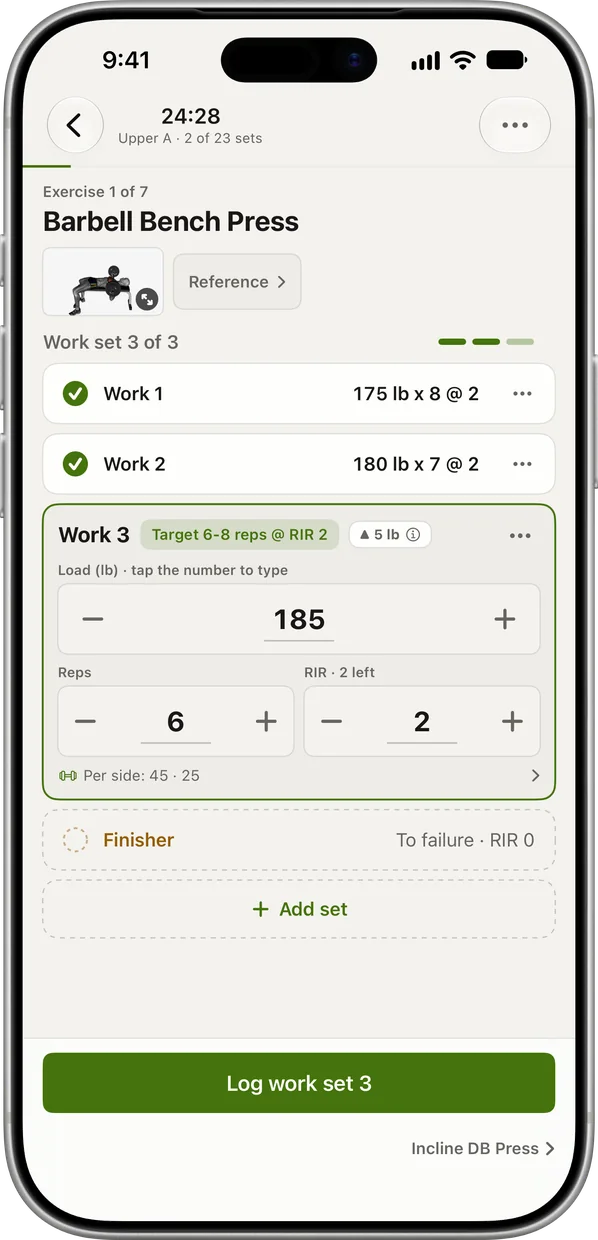
Weight, reps and reps in reserve for every set live in RIRLift, prefilled from last time. That log is what sets your next weights and charts each lift's estimated 1RM.
-
Your next session at a glance
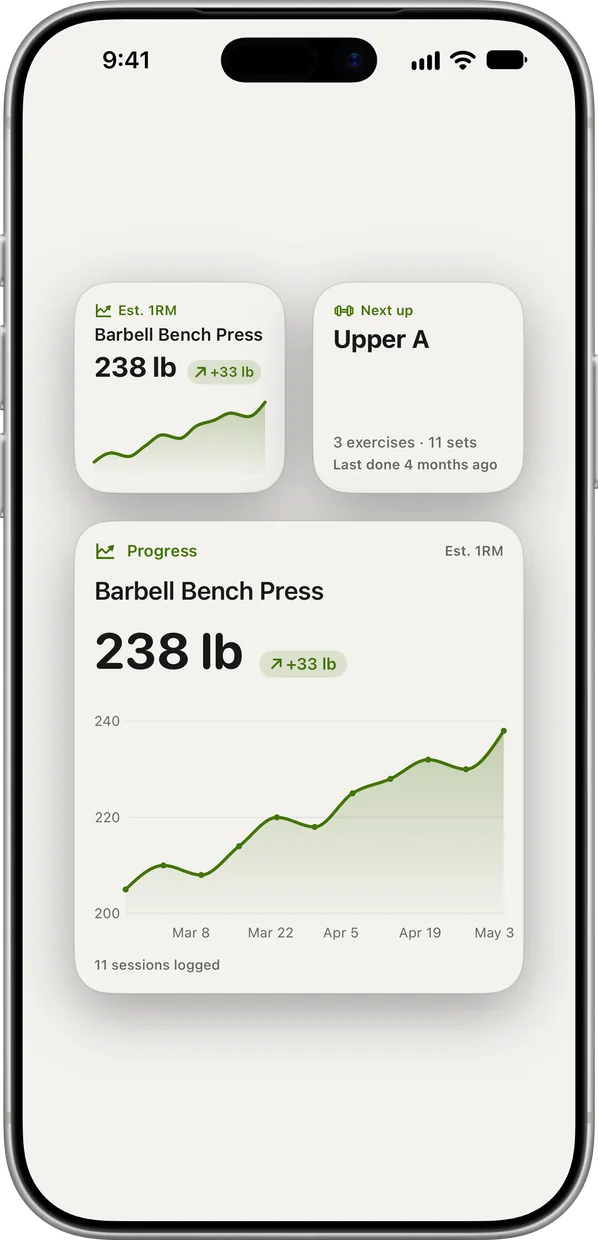
Home Screen widgets show the next session up and your top lift's trend, without opening the app.
-
No account to make
Download and train. iCloud sync is there if you want your log on more than one device.
Lifting days that land in Apple Health
A runner's off-season strength day
You run most days and lift twice a week after a run. Health already holds your runs; this session joins them, exercise by exercise.
| Exercise | You logged | Next session | Why |
|---|---|---|---|
| Trap Bar Deadlift | 225 lb, 6 / 6 / 6 reps, 2 left | 230 lb × 3 | Every set at the top of 3–6: one step up, reps back to 3. |
| Bulgarian Split Squat | 40 lb pair, 8 / 8 / 7 reps per leg, 2 left | 40 lb × 8 | The weakest set hit this session's target of 7 but not the top of 5–8. Same weight, one more rep. |
| Standing Calf Raise | 180 lb, 10 / 10 / 10 reps, 1 left | 190 lb × 6 | Top of 6–10 on every set: one step up on the stack. |
Health shows the session next to this morning's run. RIRLift already has Thursday's weights.
Back to lifting after three weeks of classes only
Pilates and cycling kept going, but lifting stopped for three weeks. Health shows the classes and the gap; RIRLift offers Ease back in.
| Exercise | You logged | Next session | Why |
|---|---|---|---|
| Hip Thrust | Last session: 135 lb × 10, 2 left | 120 lb × 6–10 | One easier week about 10% lighter, rounded to your plates. |
| Lat Pulldown | Last session: 90 lb × 8, 2 left | 80 lb × 6–10 | Same lighter week, rounded to the stack. |
| Barbell Back Squat | Last session: 115 lb × 8, 2 left | 105 lb × 5–8 | Same lighter week. Choose Pick up where I left off instead if you kept lifting elsewhere. |
One lighter week, then normal progress. The comeback session saves to Health next to your classes.
Plans that fit around the rest of your training
-
The best strength workout for runners, built around your training
Off-season or base phase, full gym
The runner's example: two short strength sessions after your hardest runs.
2× a week · 24 sets a week · ~40 min
Add to RIRLiftSee the planAdd to RIRLift
Scan with your iPhone camera to add this plan.
-
The best workout for women, for your week
2 days, alongside classes or running
The classes example: two heavy days alongside Pilates, cycling or running.
2× a week · 23 sets a week · ~40 min
Add to RIRLiftSee the planAdd to RIRLift
Scan with your iPhone camera to add this plan.
Make it fit you
-
Let RIRLift save to Health
Allow workout sharing when RIRLift asks. You can change it any time in the Health app's sharing settings.
-
Finish sessions on your iPhone
Workouts finished on iPhone are the ones saved to Health, so end the session there once your last set is logged.
-
Track your body in one log
RIRLift records bodyweight, body fat and 13 body measurements next to your lifts, and the Dashboard keeps a daily step goal.
-
Add the widgets
Put the next-session and top-lift widgets on your Home Screen to see what's coming without opening the app.
Questions
Does RIRLift sync with Apple Health?
Yes. Every workout you finish on iPhone saves to Apple Health, with each exercise as its own segment.
Where do I see my sets and weights?
In RIRLift. Each set's weight, reps and reps in reserve are logged there, and that's what the app uses to set your next weights. How RIRLift picks your next weight explains how.
Do I need an account?
No. RIRLift works without an account. iCloud sync is optional.
Is it free?
Yes. Unlimited workouts, suggested weights, progression and the Apple Watch app are free, with no ads.
Read next
-
The best strength workout for runners, built around your training
Strength plans for every phase of a running season.
-
The best workout for women, for your week
Plans for 2 to 4 days, including one built around classes.
-
How to log workouts
What to record for each set, and why.
-
Best workout app for Apple Watch
Choose by what you need to log on your wrist.
More ways lifters use RIRLift
-
The Apple Watch weightlifting app that runs the whole session
Log sets, rest, load plates and swap machines from your wrist, with the next weight set on the Watch.
-
The strength training app for runners that fits around your miles
Short lifting sessions for each phase of your season, with weights that hold when your legs are tired.
-
The workout app for iPhone, built for lifting
Rest timer on the Lock Screen, widgets, Apple Health, and every weight set. Free, no account.